BeStream.io
BROADCAST GRADE STREAMING
Windows Encoder Software

IP Multicoder Windows SRT & RTMP encoder software for broadcast contribution

IP Multicoder captures SDI, HDMI, analogue or DeckLink sources, encodes them with H.264 and publishes over SRT, RTMP or UDP — to BeStream ingest, any standards-compliant media server, or a point-to-point receiver.

Built for contribution chains where the link is unreliable and the feed cannot drop: SRT listener and caller modes, RTMP primary and backup publishing, hybrid outputs, alarms and full system logs.

SRTListener & caller
RTMPPrimary + backup
UDPUnicast & multicast
H.264CBR / VBR
Trial: 15-day licence. We send the download link and activation steps by e-mail, usually within one business day.
IP Multicoder
ENCODINGSRT + RTMP
INPUT SDI / HDMI / DeckLink ENCODER H.264 1920x1080 · 50 fps High @ L4.1 · GOP 50 CBR · 8000 kbps Preset Scale OUTPUT SRT · Caller srt://ingest.bestream.io:9000 · latency 200 ms LIVE RTMP · Primary rtmp://global.bestream.io/live ON RTMP · Backup Standby · auto failover STBY UDP · Multicast udp://239.10.10.5:5000 · MPEG-TS MONITOR 8 002 kbps BITRATE 02:41:18 UPTIME 0.00 % PACKET LOSS No alarms STATUS

What IP Multicoder does

A contribution encoder built around one requirement: the feed leaves the venue and arrives, even when the network in between is not cooperating.

SRT listener & caller

Run the encoder as an SRT listener waiting on a known UDP port, or as a caller that dials out to a remote listener. Caller mode gets a field kit out through NAT and firewalls without inbound rules.

Both modes

RTMP primary + backup

Publish to a primary and a backup RTMP endpoint at the same time. If one path degrades, the contribution feed keeps running on the other instead of dropping the programme.

Auto failover

SDI, HDMI & DeckLink capture

Take HD or SD SDI, HDMI and analogue sources through supported capture hardware including Blackmagic DeckLink cards. An incoming SRT stream or UDP transport stream can also be used as the source.

HD / SD input

UDP unicast & multicast

Send MPEG-TS over UDP to a single destination or to a multicast group address for in-house distribution, DVB workflows and headend integration.

MPEG-TS

H.264 presets & profiles

Control resolution, frame rate, encoder preset, H.264 profile and level, GOP length and rate control. Both CBR for fixed-bandwidth links and VBR for quality-first delivery.

CBR / VBR

Scaling & format conversion

Upscale or downscale independently of the source resolution, and switch between interlaced and progressive output so the contribution feed matches what the receiver expects.

Up / down scale

Live monitoring

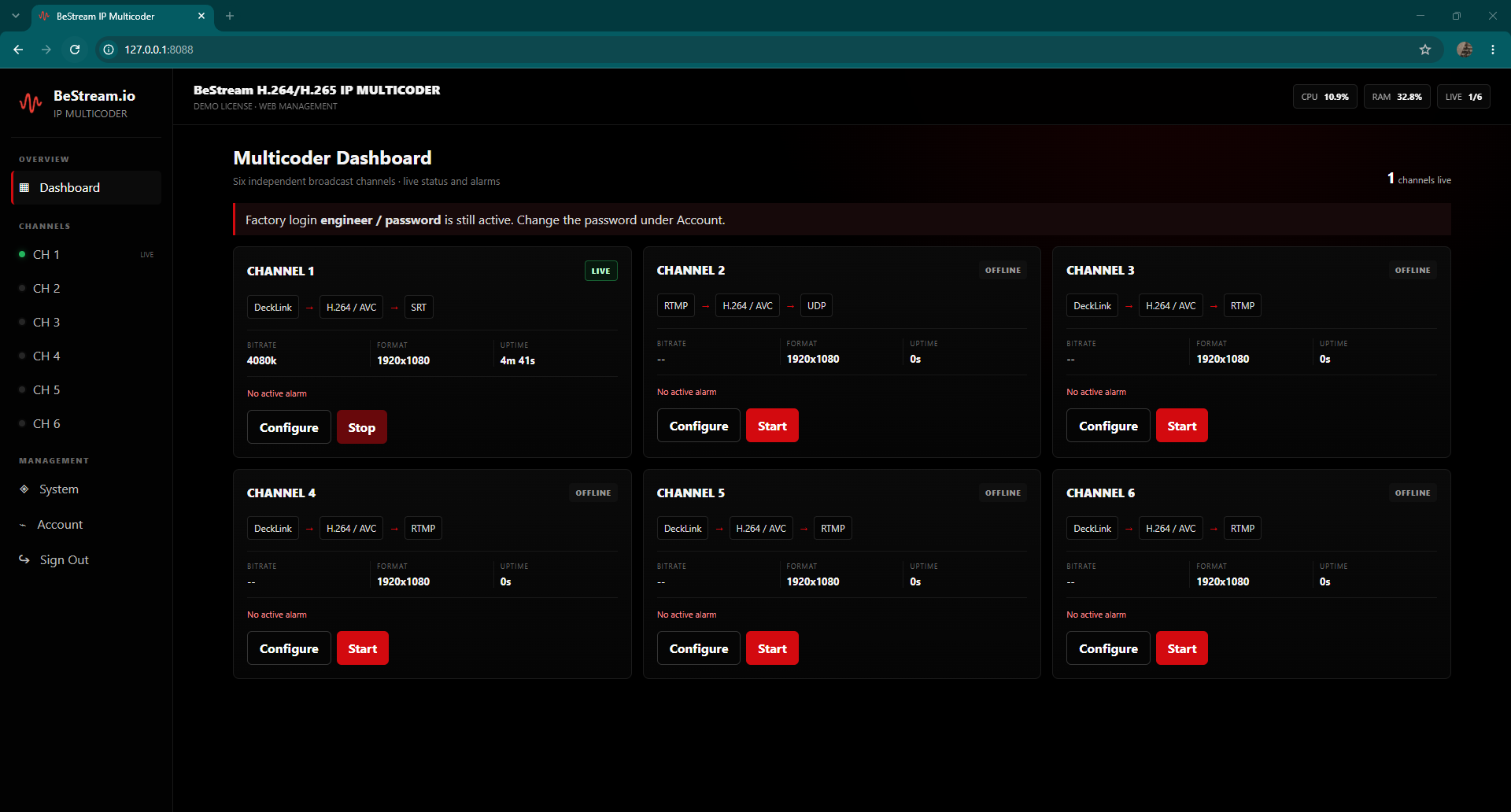
Watch bitrate, uptime, connection state and packet loss while the encoder runs, so a degrading link is visible before it becomes a dropped feed.

Real time

Alarms

Configurable alarm conditions surface input loss, connection failures and encoding faults immediately rather than leaving an operator to notice a frozen preview.

Fault detection

System & debug logs

Full system event and debug logging for post-incident analysis, so an intermittent problem on a contribution link can actually be traced instead of guessed at.

Event history

Encrypted transport

SRT carries AES encryption as a native part of the protocol, so a contribution feed crossing the public internet stays protected in transit without an extra VPN layer.

AES in transit

Software & hardware encoding

Run encoding on CPU, or use supported hardware acceleration to keep headroom free when several instances share one machine.

Multi-instance

Windows deployment

Runs on 64-bit Windows 10, Windows 11 and Windows Server, so it drops into an existing broadcast PC or rack machine without a new operating system to maintain.

Win 10 / 11 / Server

Inputs and outputs

One source in, several protocols out at the same time — including hybrid combinations for parallel delivery paths.

Inputs

SDIHD and SD serial digital via supported capture cards
HDMICameras, switchers, playout machines and laptops
AnalogueLegacy sources through compatible capture hardware
DeckLinkBlackmagic DeckLink capture card family
SRT inIncoming SRT stream in listener or caller mode
UDP inMPEG-TS over UDP, unicast or multicast

Outputs

SRT outListener or caller, configurable latency buffer, AES encryption
RTMP outPrimary and backup endpoints published simultaneously
UDP outMPEG-TS unicast or multicast for internal distribution
RTMP + SRTHybrid mode: social or platform delivery plus resilient contribution
RTMP + UDPHybrid mode: external platform plus internal headend feed
DVB MPEG-TSTransport stream output for broadcast infrastructure

Technical specifications

Every parameter below is adjustable per encoder instance from the settings dashboard.

IP Multicoder — encoder specification
Video codecH.264 / AVC
Profile & levelBaseline, Main and High profiles with selectable level (for example High @ L4.1)
Rate controlCBR for fixed-bandwidth contribution links, VBR where quality matters more than a flat bitrate
ResolutionSD through HD, with independent upscaling and downscaling from the source
Frame rateSelectable per instance; interlaced and progressive output both supported
GOP structureConfigurable GOP length to balance latency against compression efficiency
Encoder presetsSpeed and quality presets, plus manual override of individual parameters
SRT modesListener and caller, with configurable latency buffer and passphrase encryption
RTMP publishingPrimary and backup endpoints, published in parallel
UDP outputMPEG-TS, unicast or multicast group address
Hybrid modesRTMP + SRT and RTMP + UDP running concurrently
MonitoringLive bitrate, uptime, connection state and packet loss
Alarms & logsConfigurable alarm conditions, system event log and debug log
Operating system64-bit Windows 10, Windows 11 and Windows Server
Licensing15-day trial licence on request; commercial licence quoted per deployment

Specifications reflect the current release and may change between versions. For a workflow-specific confirmation before purchase, ask our team.

Inside the application

Screenshots from the running encoder — click any image to open it full size.

IP Multicoder encoder settings dashboard showing resolution, FPS, preset, H.264 profile and level, GOP and CBR/VBR rate control
Encoder settingsResolution, frame rate, preset, profile and level, GOP length and CBR/VBR rate control in one panel.
IP Multicoder output configuration with RTMP primary and backup publishing plus SRT and UDP hybrid modes
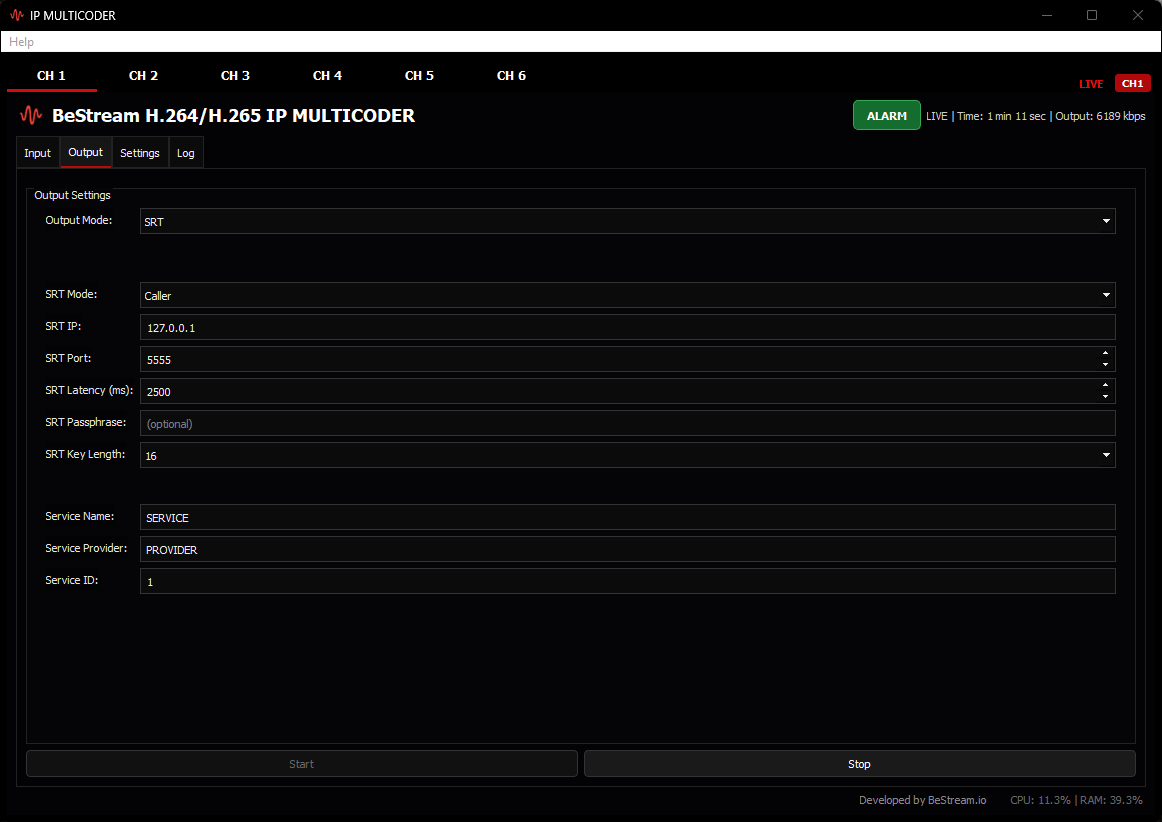
Output configurationRTMP, SRT and UDP targets, including hybrid RTMP+SRT and RTMP+UDP delivery.
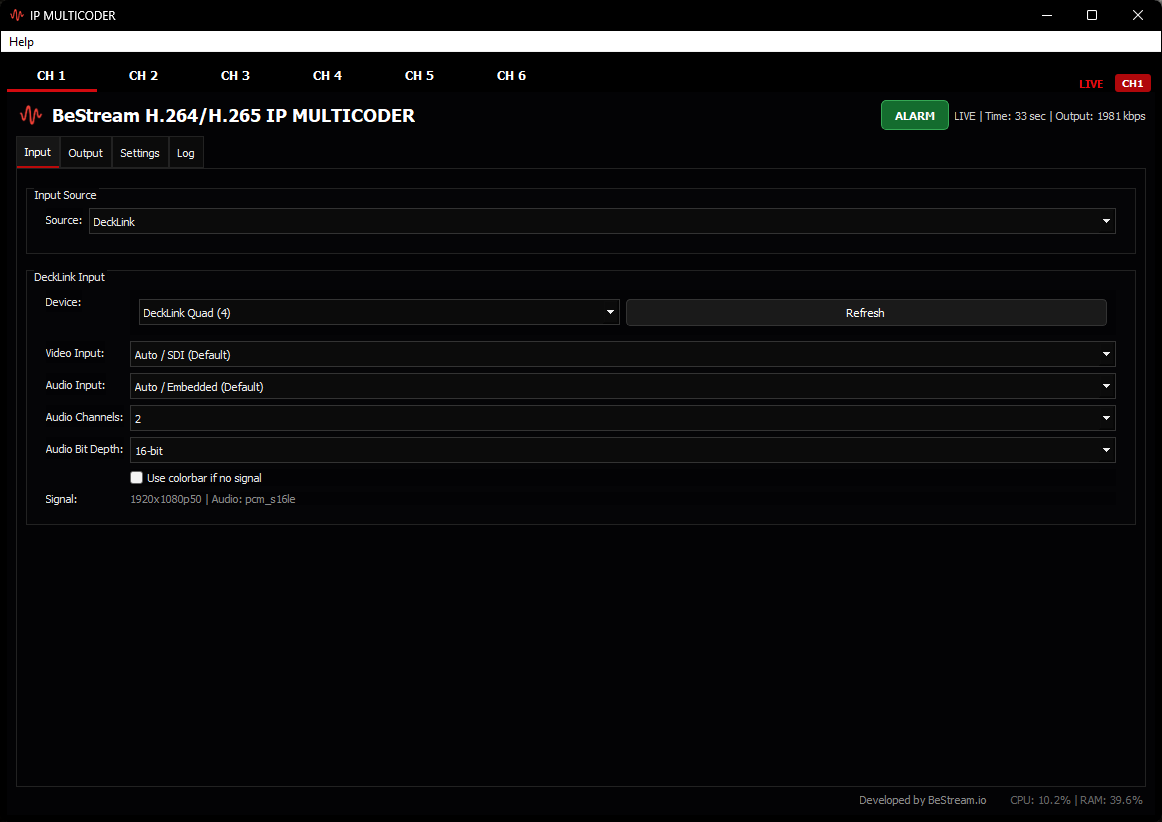
IP Multicoder input selection showing SRT listener and caller modes, DeckLink capture and UDP transport stream input
Input selectionSRT listener or caller, DeckLink capture and UDP transport stream sources.

Typical workflows

Three contribution patterns IP Multicoder is regularly deployed for.

Remote venue to studio

A field kit at a stadium, conference hall or house of worship sends a resilient feed back to the gallery over the public internet. Caller mode dials out, so the venue network needs no inbound firewall rules.

SDI cameraIP MulticoderSRT callerStudio listenerPlayout

Studio to platform, with backup

A programme feed goes out to a streaming platform while a second RTMP endpoint stays live in parallel. If the primary path degrades mid-broadcast, the backup is already publishing.

SwitcherIP MulticoderRTMP primaryRTMP backupViewers

Headend and internal distribution

One encode feeds both an external platform and an internal network at once. The hybrid RTMP+UDP mode publishes to the platform while multicasting MPEG-TS to in-house receivers.

SDI sourceIP MulticoderRTMP outUDP multicastHeadend

System requirements

Minimum

OS64-bit Windows 10
CPUModern quad-core processor
Memory8 GB RAM
CaptureSupported card for SDI or HDMI input, or an IP source
NetworkUpload headroom above the target bitrate

Recommended

OS64-bit Windows 11 or Windows Server
CPUMulti-core processor, sized to the number of instances
Memory16 GB RAM or more
CaptureBlackmagic DeckLink for multi-channel SDI
NetworkWired connection, or bonded links for field deployment

Sizing depends on resolution, bitrate and how many encoder instances share the machine. Tell us your workflow and we will confirm what the hardware needs to be.

IP Multicoder — frequently asked questions

IP Multicoder is a Windows encoder application built by BeStream.io for professional broadcast contribution. It captures SDI, HDMI, analogue or DeckLink sources, encodes them with H.264, and publishes over SRT, RTMP or UDP to media servers, streaming platforms or point-to-point receivers.
Yes. Both modes are supported. Listener mode makes the encoder wait for an incoming SRT connection on a chosen UDP port, which suits fixed studio endpoints. Caller mode makes the encoder initiate the connection to a remote listener, which suits field kits behind NAT or firewalls.
Yes. IP Multicoder publishes to a primary RTMP endpoint and a backup RTMP endpoint simultaneously, so a failure on one path does not interrupt the contribution feed. Hybrid modes such as RTMP+SRT and RTMP+UDP are also available.
IP Multicoder accepts HD and SD SDI, HDMI and analogue sources through supported capture hardware including Blackmagic DeckLink cards, and it can also take an incoming SRT stream or a UDP transport stream as its input.
Resolution, frame rate, encoder preset, H.264 profile and level, GOP length and rate control mode are all adjustable. Both CBR and VBR are supported, and video can be upscaled or downscaled independently of the source resolution.
Yes. UDP output can be sent as unicast to a single destination or as multicast to a network group address, which suits in-house distribution, DVB MPEG-TS workflows and headend integration.
IP Multicoder runs on 64-bit Windows 10, Windows 11 or Windows Server. A modern multi-core CPU is recommended, along with a supported capture device for SDI or HDMI input and sufficient upload bandwidth for the target bitrate.
Yes. A 15-day trial licence is available on request. Contact the BeStream team and we will send the download link together with activation instructions, usually within one business day.
Licensing is quoted per deployment because it depends on the number of encoder instances, input types and support level required. Request a quote and we will prepare an offer for your workflow.
Yes. IP Multicoder is designed to work with BeStream.io RTMP and SRT ingest, but it also publishes to any standards-compliant media server or platform that accepts RTMP, SRT or UDP MPEG-TS.

Try IP Multicoder for 15 days

Tell us your source type, target bitrate and destination and we will send the download link with activation steps, plus a configuration that matches your workflow.